
All Posts
Top 6 POS hardware a business Must Have
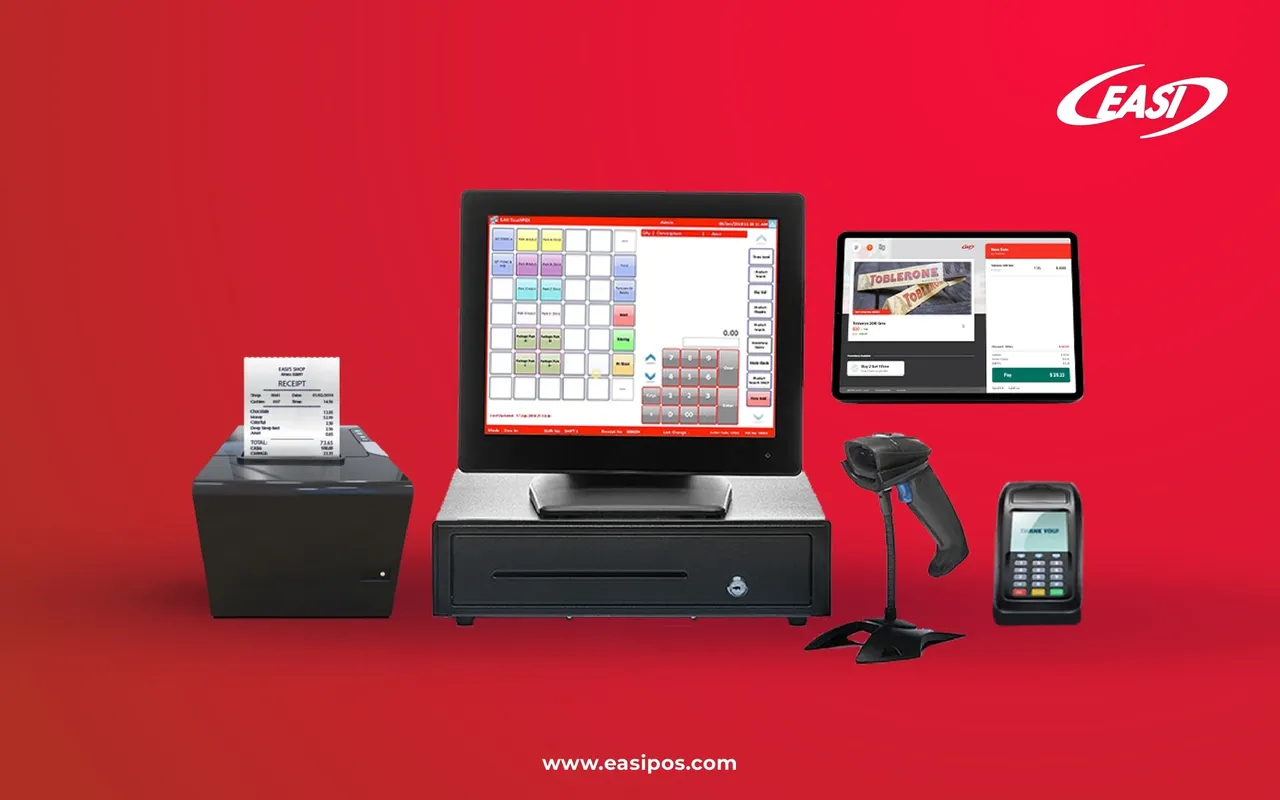
Modern POS systems are essentially a cash register, but when you take a closer look, there are more to them. Retail stores and restaurants utilize POS systems to stay organized and streamline business operations. It forms the foundation of your success. For it to operate, however, you must have the right hardware installed. Consider the POS software and hardware needs of your business together before you purchase a POS system. Hardware compatibility with POS software is critical for every POS program. In order to use POS software, the following POS hardware components are necessary:
A tablet or a touchscreen monitor
Most POS systems come with a monitor or screen. The cashiers use this form to display the information they collect during the transaction cycle. Shops are increasingly using touchscreen displays, iPads, and Android tablets. This technology is ideal for small businesses and quick-service restaurants due to its affordability and ease of implementation. A touchscreen device, for instance, saves space by eliminating the need to use a keyboard and mouse, while greatly improving the efficiency of your staff.
Cash Drawer
Despite the fact that most small businesses today use e-wallets and credit cards, cash payments are still prevalent. There is no escaping the long-standing existence of a cash drawer in any business. Cash proceeds are kept in the drawer for a period of time, normally a shift or a day, allowing customers to pay with cash and receive exact change in return. Currently, most modern drawers are controlled remotely by a back-end server and require active login permission to get opened on the terminal. As a result, all the cash from transactions will be recorded in the database and fraud will be prevented.
Barcode Scanner
Various products are scanned using a laser beam to retrieve coded pricing information. The use of barcode scanners on POS terminals helps in high-volume, busy environments. By simplifying checkouts, reducing errors, and shortening the transaction process, you can serve more customers. Most barcode scanners are handheld, enabling the cashier to check out bulky or heavy items.
Receipt Printer
Customer records are given to the customer at the end of every transaction. A paper receipt produced by a receipt printer generally contains payment details about the purchase, or a credit card slip for the customer to sign. Once the transaction is complete, most customers want to check their receipts to verify the price of the item and to keep the receipt as proof of purchase in case the item needs to be returned. It is possible to program this component from the back-office server to print customized receipts, but the printer you are using has to be compatible and all the right sizes.
Customer Facing Display
Customer-facing displays are what your clients see while you scan the products, and their prices are entered into the POS system. On this page, your customer can view names of products, prices, tax amounts, and totals. Moreover, the monitor displays advertisements whilst customers are queuing in order to catch their attention.
Credit Card Terminal
An increasingly cashless society requires a card reader that supports NFC and contactless payments, making it a valuable business tool.
Your first step to a smooth business operation is to ensure that your POS is equipped with the right hardware components. Investments may vary based on the size of your business and the number of POS licenses you have. To get the best value, you should purchase both POS hardware and software as part of a POS bundle. EASI's expertise in designing and implementing POS systems makes it a great choice for POS solutions. If you would like our assistance in growing your business, we are here for you!